
























































Put audience questions on screen in seconds

Give the room a QR code and display questions live.

PanelQ live panel Q&A interface showing real-time audience questions on stage

Trusted by

The Carter Center Bristol Myers Squibb Kyocera Washington State University University of Florida University of Toronto Nanyang Technological University University of Lausanne Perkins Engines Diligent Buena Vista University FASE Fundación Sicredi Basrah Gas Company Olayan The Canadian Journalism Foundation Mote Marine Laboratory & Aquarium BASF Haleon JLL Arnott's University of Calgary Oklahoma State University The University of Western Australia Labuan International School Université de Reims Champagne-Ardenne The Hong Kong Polytechnic University University of Puerto Rico Universidad de Cundinamarca Kamehameha Schools St. Francis Xavier University Cherokee Millwright Bioenergética Aroeira C&L Ward VentleeProject Trout & Partners Ingeus Ehya Elbows Out Compétences et Développement Centric Consulting Packaging in Italy Australian Finance Group ATP architects engineers DIZ Emslandlager Bund der Landjugend Württemberg-Hohenzollern Leading Tomorrow INTEMPO DevOpsDays Vilnius ARPA Canada Bakersfield Pregnancy Center Berufsverband VK vielbunt ASONAC Judah Church Faith City Church Nashville Baptist Association Ratio Christi Canada River Church Nederland Recycle God's Love

How It Works

Three steps to better Q&A

1

Go live in 60 seconds

No setup headaches, no IT help needed. Create a session and get a QR code instantly.

2

Everyone participates

Even shy attendees share great questions. They just scan and type—no app, no sign-up.

3

You stay in control

Show only the questions that matter. Approve the best ones, skip the rest.

For Your Audience

No more awkward silence when you ask "Any questions?"

Questions appear on the big screen in real-time, keeping your audience engaged and your panel lively. The conversation flows naturally—no more waiting for someone to raise their hand.
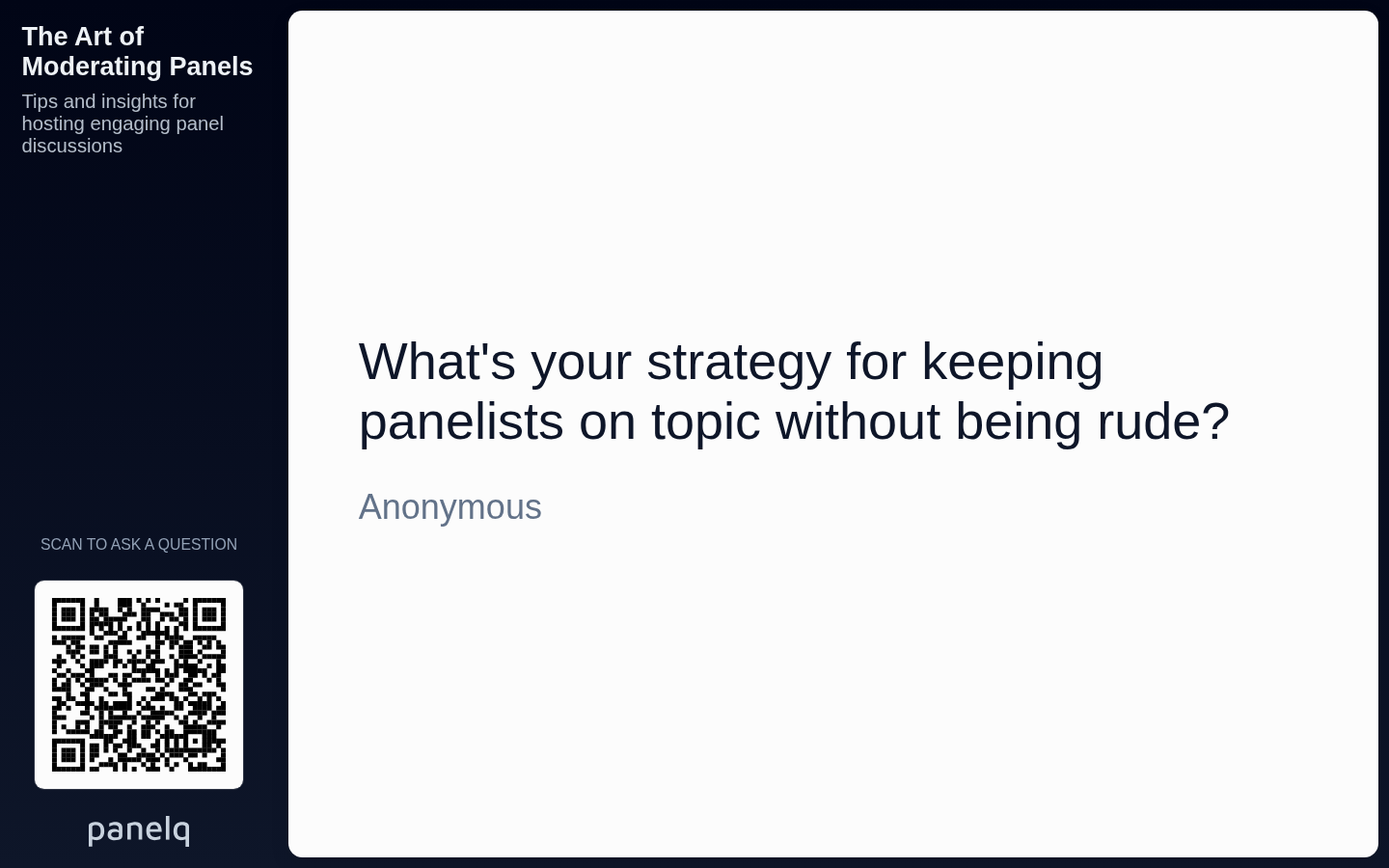
PanelQ live display showing audience questions on screen

Simple for Attendees

Hear from people who'd never raise their hand

Some of your best questions come from people too shy to speak up. With PanelQ, everyone can participate—just scan and type.

  • Instant participation—nothing to install
  • Zero friction for your audience
  • Everyone can join, any device
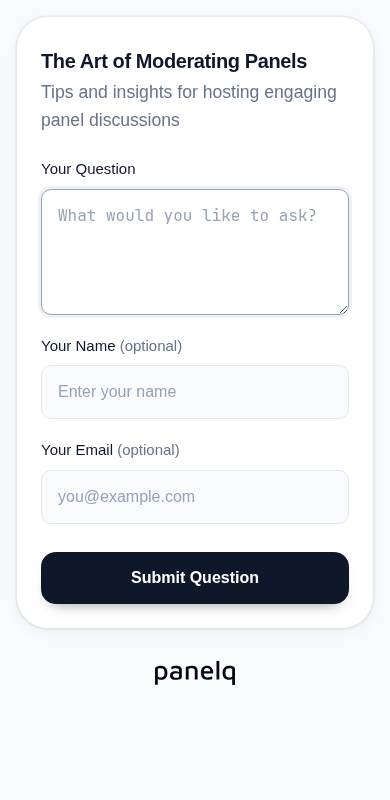
Mobile interface for submitting questions via QR code

You're in Control

No off-topic or inappropriate questions on screen

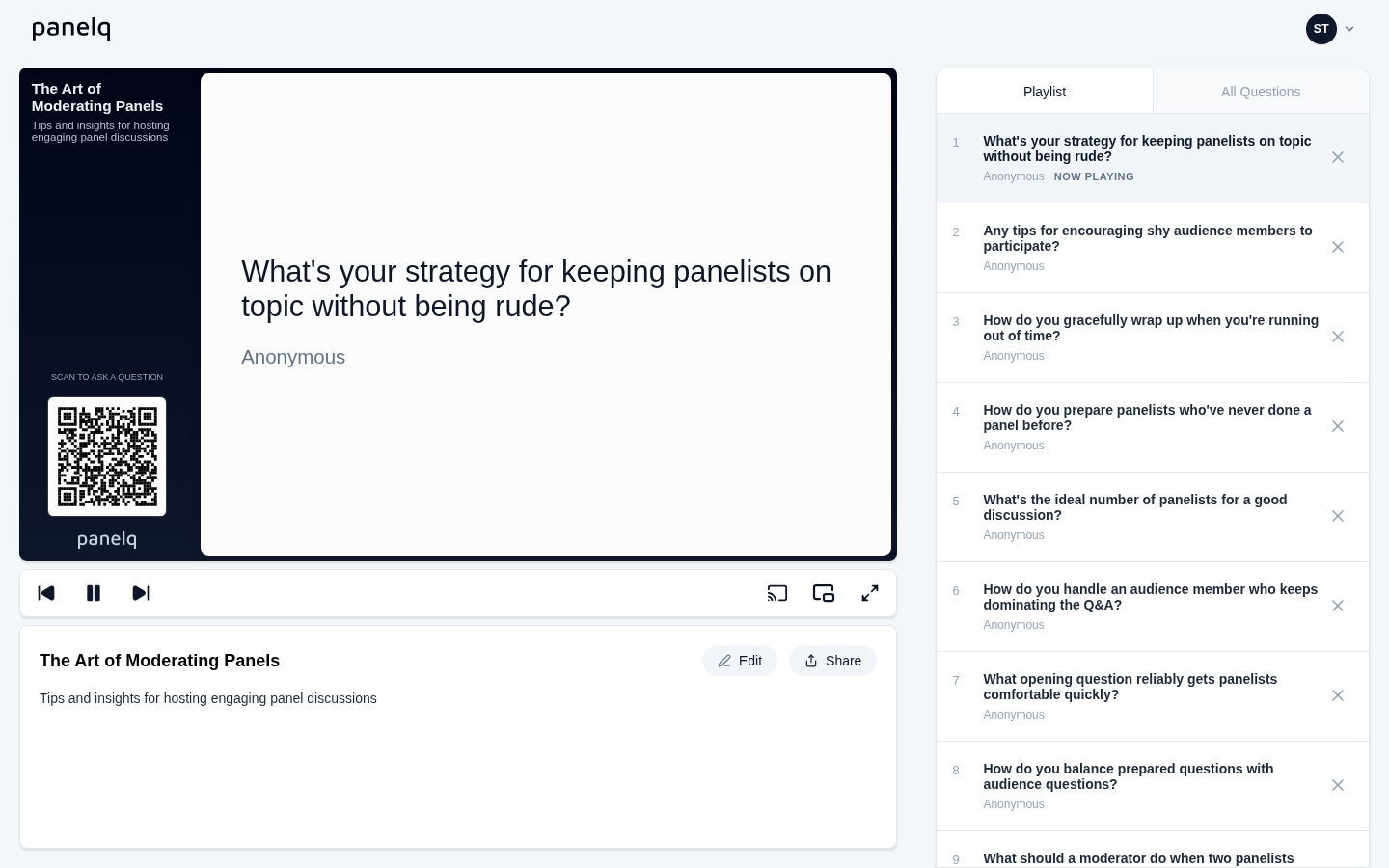
Filter out the noise before it reaches the big screen. You decide which questions deserve the spotlight—keeping your panel focused and professional.
panelq.com
PanelQ moderation dashboard for reviewing and queuing questions

Use Cases

Built for any live event with an audience

Conferences & Summits

Keep keynotes interactive and let attendees engage with speakers in real-time.

Corporate Town Halls

Give every employee a voice—even remote participants can submit questions.

University Lectures

Students ask questions without interrupting—professors address them when ready.

Webinars & Virtual Events

Works alongside Zoom, Microsoft Teams, or any streaming platform you already use.

Community Meetups

Perfect for local groups, clubs, and community gatherings of any size.

Panel Discussions

The format we're named after—make every panel more engaging and interactive.

Testimonials

Trusted by event organizers

"Finally, a Q&A tool that just works. Set it up in 2 minutes and our audience loved how easy it was to submit questions."

SK
Sarah Kim Conference Organizer

"The moderation feature is a game changer. We can filter questions in real-time and keep the discussion focused."

MR
Marcus Rodriguez Panel Moderator

"No app download for attendees is huge. Everyone could participate immediately without friction."

JT
Jennifer Torres Event Producer

Ready to run your next Q&A?

Create your first panel in under a minute. No credit card, no commitment.

Get started free